One base. The whole company.
Every product in the same system and the same database. The Home screen shows the company at a glance and, where the products already talk, nobody retypes anything.
- 11 products on one base
- 7 products already talk
- 3 languages

The whole company, at a glance.
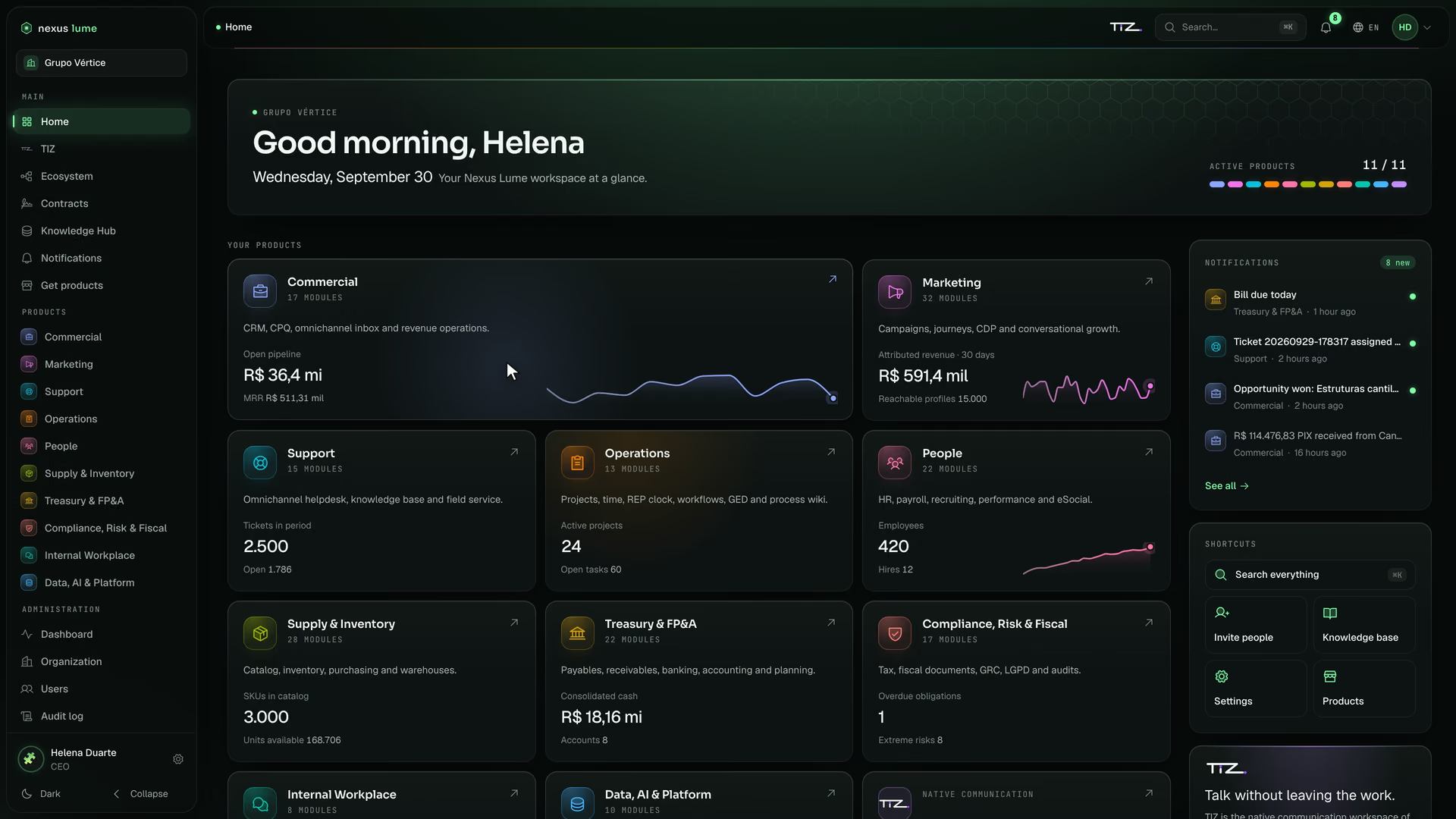
The Home screen is where the day starts: each product’s number, a shortcut to any screen and whatever needs your attention.
Home
Each product, its vital number.
The Home screen shows each product’s vital number, live. One click on the card, and the product opens in the same light.
From the Home screen to the product, in one click.Grupo Vértice · fictional company · illustrative data Search · ⌘K
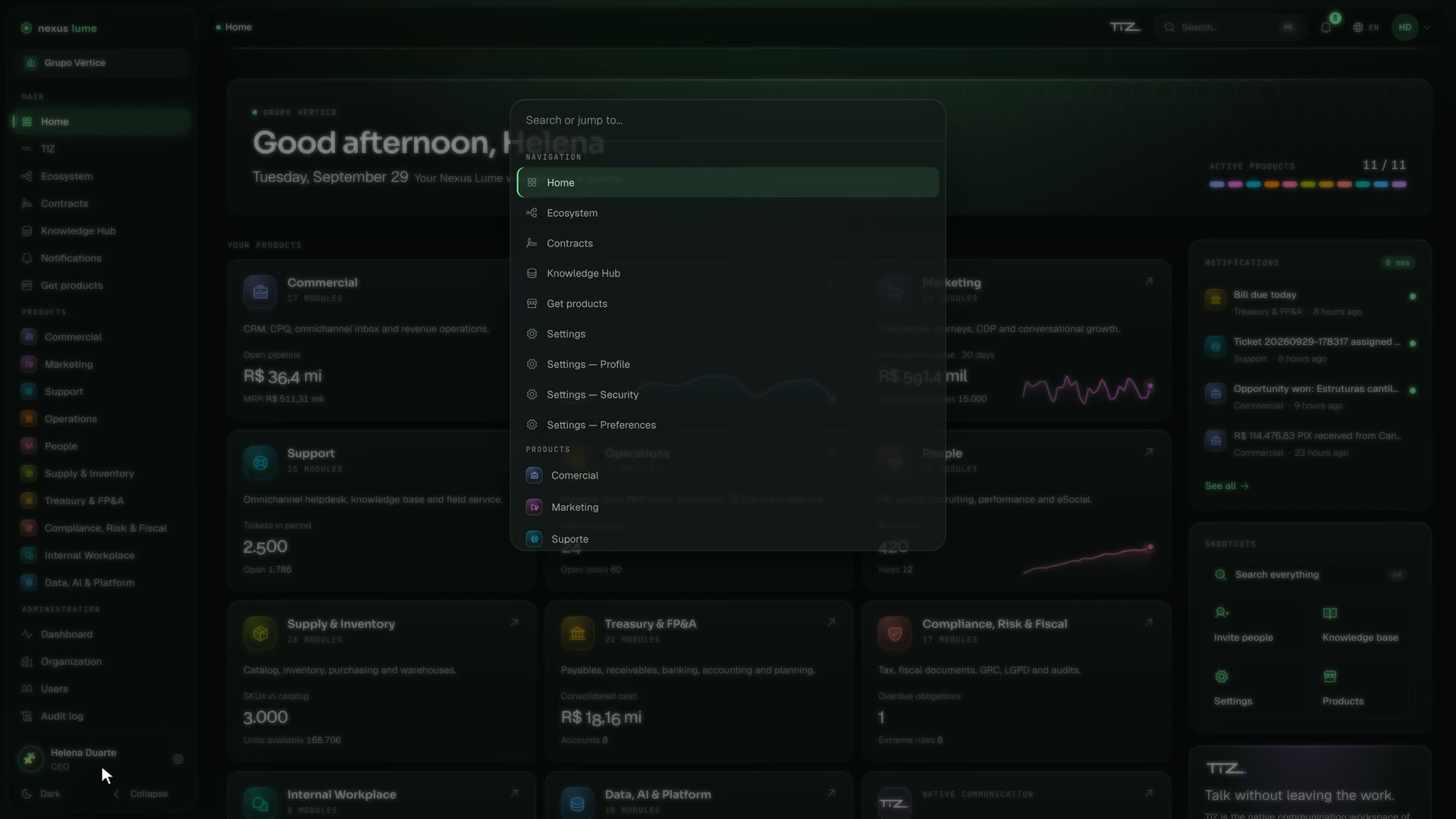
Any product, one shortcut away.
⌘K, or Ctrl+K, opens the “Search or go to…” palette: the Home screen, settings and every licensed product one shortcut away.
The palette takes you to screens and products; it does not search for records inside them.
Type the name, and the product opens.Grupo Vértice · fictional company · illustrative data Notifications
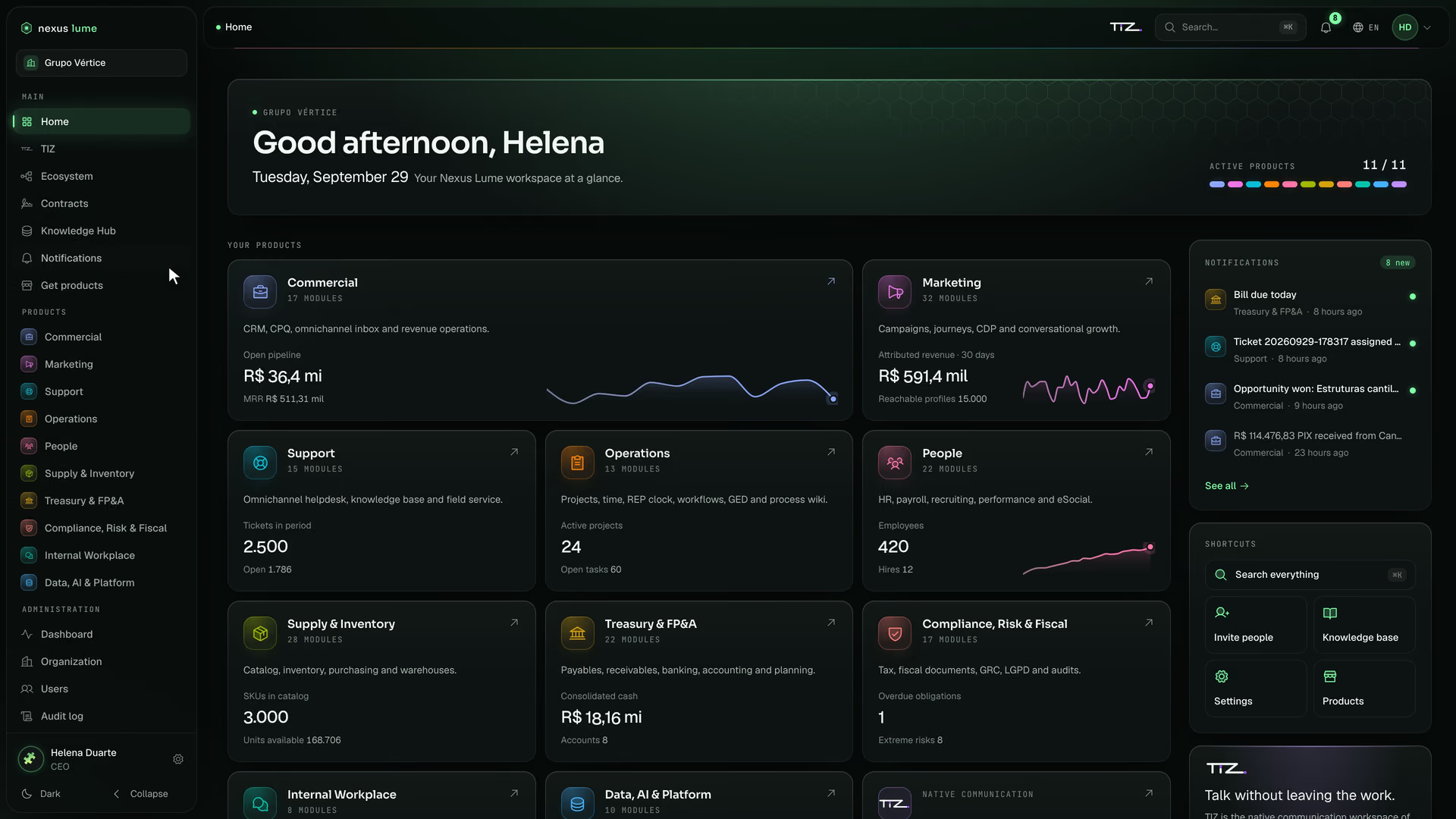
What needs you, in one inbox.
One notification inbox on the Home screen, written by real events: approval requested, ticket assigned, deal won, bill coming due, new hire and report received.
A whistleblowing report is never announced company-wide: the notice reaches only the compliance and privacy officers.
Notifications from every product, in one inbox.Grupo Vértice · fictional company · illustrative data
A record the other product recognizes.
One product doesn’t ask again for what another already knows. Today that holds at these points, one by one.
The lead is not duplicated
A lead arriving from Marketing enters the CRM without duplicates: the CRM checks the e-mail.
The ticket knows the account
A ticket opened for a Commercial account uses the same customer in Support: Support finds the customer by the account, or creates it linked to it.
The hire reaches Operations
A hire in People becomes an available person in Operations; a termination removes the person from allocations.
The directory and the feed.
Everyone who works at the company, in one record. What everyone must read, with read receipts.
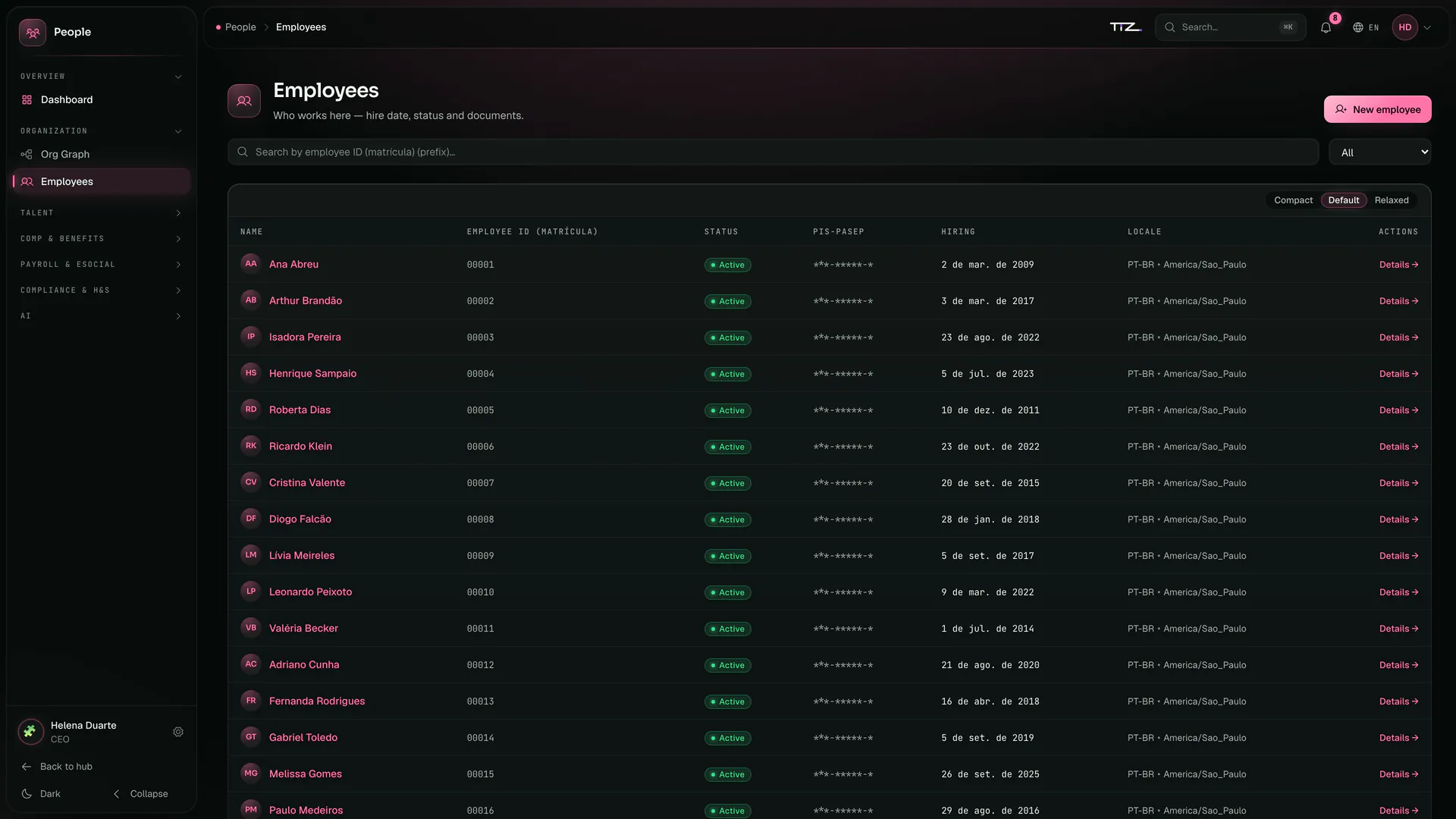
The employee directory, with the PIS number masked.Grupo Vértice · fictional company · illustrative data People · Employees
A directory tied to access.
Employees: one record of everyone who works at the company, with position, manager and cost center, linked to the user who signs in.
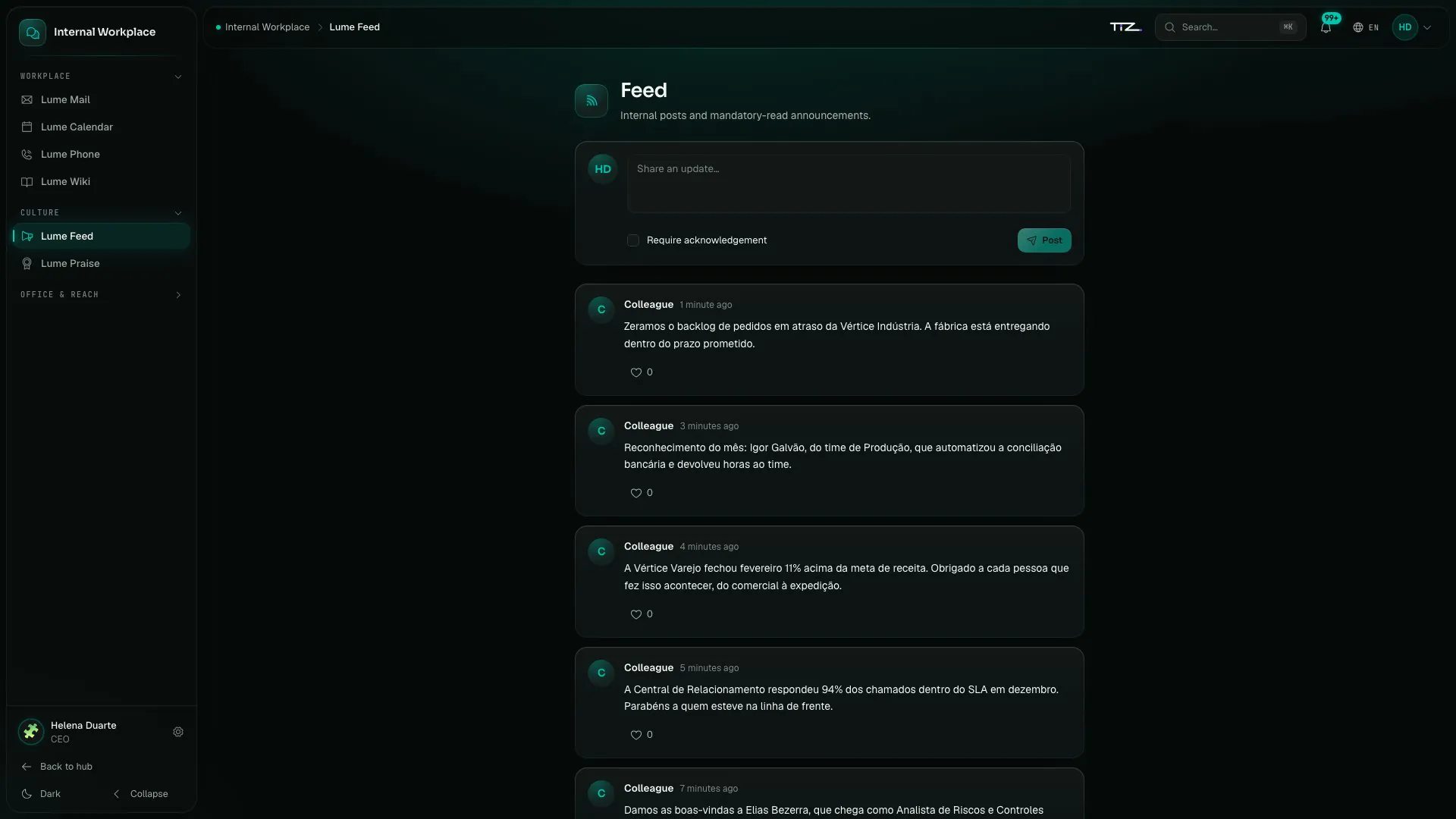
The company feed.Grupo Vértice · fictional company · illustrative data Communication · Lume Feed
The feed, with read receipts.
Must-read announcements with read receipts. Welcomes, notices and wins reach everyone, in the same place.
The products talk through events.
When something happens in a product, it records an event. The product that subscribes receives it and acts. Only the ones that already take effect are here.
Something happens
A lead is captured, a ticket is opened, someone is hired.
The event is created with it
Each product records the event in the same transaction as the change: if the change is not saved, neither is the event.
No sensitive data
CPF, CNPJ, phone, Pix key and address stay out of events between products.
The receiver acts
The receiving product changes what it shows. Support, Operations and Compliance record every event they receive and discard repeats.
From MarketingTo Commercial
A lead captured in Marketing becomes a CRM lead, with no retyping
Event:
nexus.marketing.lead.capturedFrom MarketingTo Commercial
Marketing’s intent score updates the lead’s score in the CRM
Event:
nexus.marketing.intent.scoredFrom SupportTo Commercial
A ticket opened in Support becomes a note on the account’s opportunity; a resolved ticket improves customer health
Event:
nexus.support.ticket.openednexus.support.ticket.resolvedFrom CommercialTo Support
Churn risk in Commercial raises the priority of the customer’s open tickets in Support
Event:
nexus.commercial.churn.riskFrom PeopleTo Operations
A hire in People becomes an available person in Operations; a termination removes the person from allocations
Event:
nexus.people.employee.hirednexus.people.employee.terminatedFrom PeopleTo Compliance
A work-accident report (CAT) filed in People opens a health and safety risk in Compliance
Event:
nexus.people.sst.cat_openedFrom TreasuryTo Compliance
A counterparty Treasury finds on a sanctions list opens a risk in Compliance
Event:
nexus.treasury.kyc.hit
Commercial and Treasury send events only to products with an active license and a link the company enabled.
Other events are already in the code. Each one joins this list once it takes effect in the product that receives it.
Bring what you already have.
The importers bring customers, suppliers, invoices, payables, opening balances and the chart of accounts.
Where it comes from
- Omie
- Conta Azul
- Nibo
- QuickBooks
- Spreadsheets
The sales pipeline doesn’t come through the importers: it starts in Commercial, already linked to Marketing.
Public API
Public API, keys and webhooks, plus integration flows between systems. Until then, the importers bring the data in.
Isolated, encrypted and audited.
Each company sees only its own data, and every audit record can be checked.
See security in detailIsolation
Each company isolated from the others, row by row, by the database itself.
Encryption
Personal data encrypted field by field.
Audit trail
Every audit record carries a SHA-256 hash to check whether it was altered.
Data in Brazil
Data hosted in Brazil, in São Paulo.
Questions about the platform
Do I need to integrate the products with each other?
No. Every product in the same system and the same database. Where the products already talk, events bridge them; the list on this page shows which.
Can I start with a single product?
Yes. One license per product; you license only what you use. When the second one arrives, it uses the same base.
Can I bring in the data from the system I use today?
The financial data and the master records, yes. The importers bring customers, suppliers, invoices, payables, opening balances and the chart of accounts. Import from Omie, Conta Azul, Nibo, QuickBooks and spreadsheets. The sales pipeline starts in Commercial.
Is there an API?
The public API, with keys and webhooks, is coming soon. Until then, the importers bring the data in, and the products talk to each other through events.
Where is the data kept?
Data hosted in Brazil, in São Paulo, each company isolated from the others by the database itself.
On top of the base.
- Products11 native products, in the order a company works.
- AI with governanceAI with a cost cap, a kill switch and a person in the loop.
- Built for BrazilNF-e invoices, Pix payments, payroll, eSocial reporting and SPED bookkeeping, from the base up.
- SecurityIsolation, encryption, an audit trail and data kept in Brazil.