A day at Grupo Vértice.
From the sales meeting to the end-of-day cash position, Nexus Lume from the inside: real screens, with a fictional company’s data.

Full screen, with keyboard, touch and pause.
The script, screen by screen.
The same tour as a list: each step with its screen and what it shows, point by point.
CommercialMorning
In the morning, the sales meeting.
The meeting opens on the Commercial dashboard.
Open pipeline, weighted forecast, MRR and win rate on the first screen, with no spreadsheet to build before the conversation.
Open pipelineThe value of every open opportunity, with the period’s curve beside it.
Pipeline prismEach stage with its total, its weighted value and the average time deals spend in it.
Forecast by confidencePipeline, best case, commit and closed, kept apart: the forecast shows how much is a bet and how much is already certain.
Grupo Vértice’s Commercial dashboard.Grupo Vértice · fictional company · illustrative data Recurring revenue, retention and collections, side by side.
Just below, the MRR bridge, NRR and GRR, receivables aging and base health tell how revenue got here.
MRR bridgeFrom the month’s opening MRR to its closing MRR: new, expansion, contraction and churn, each with its own bar.
Receivables agingWhat is overdue, by how late it is, from the current month to the oldest.
Base healthThe book’s ARR split into healthy, watch, at risk and critical.
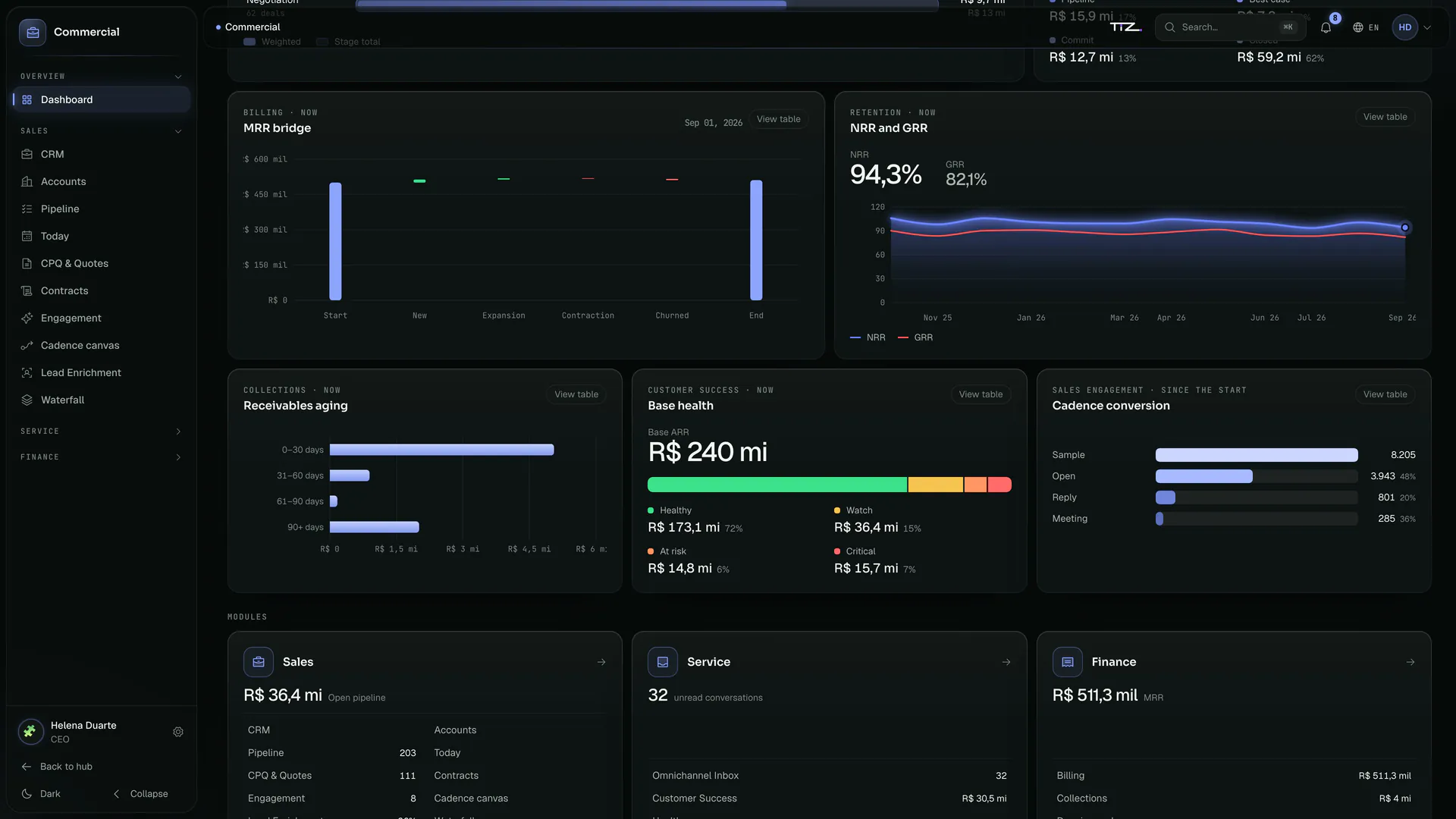
Revenue, retention and collections on the Commercial dashboard.Grupo Vértice · fictional company · illustrative data The cursor reads retention month by month.
Move the cursor across the chart: each month shows NRR and GRR, with the change against the month before.
NRR and GRRNRR measures how much of the base’s revenue stayed and grew; GRR, how much stayed without counting expansion.
View tableEvery chart has its table: the same numbers, to read, copy or hear on a screen reader.
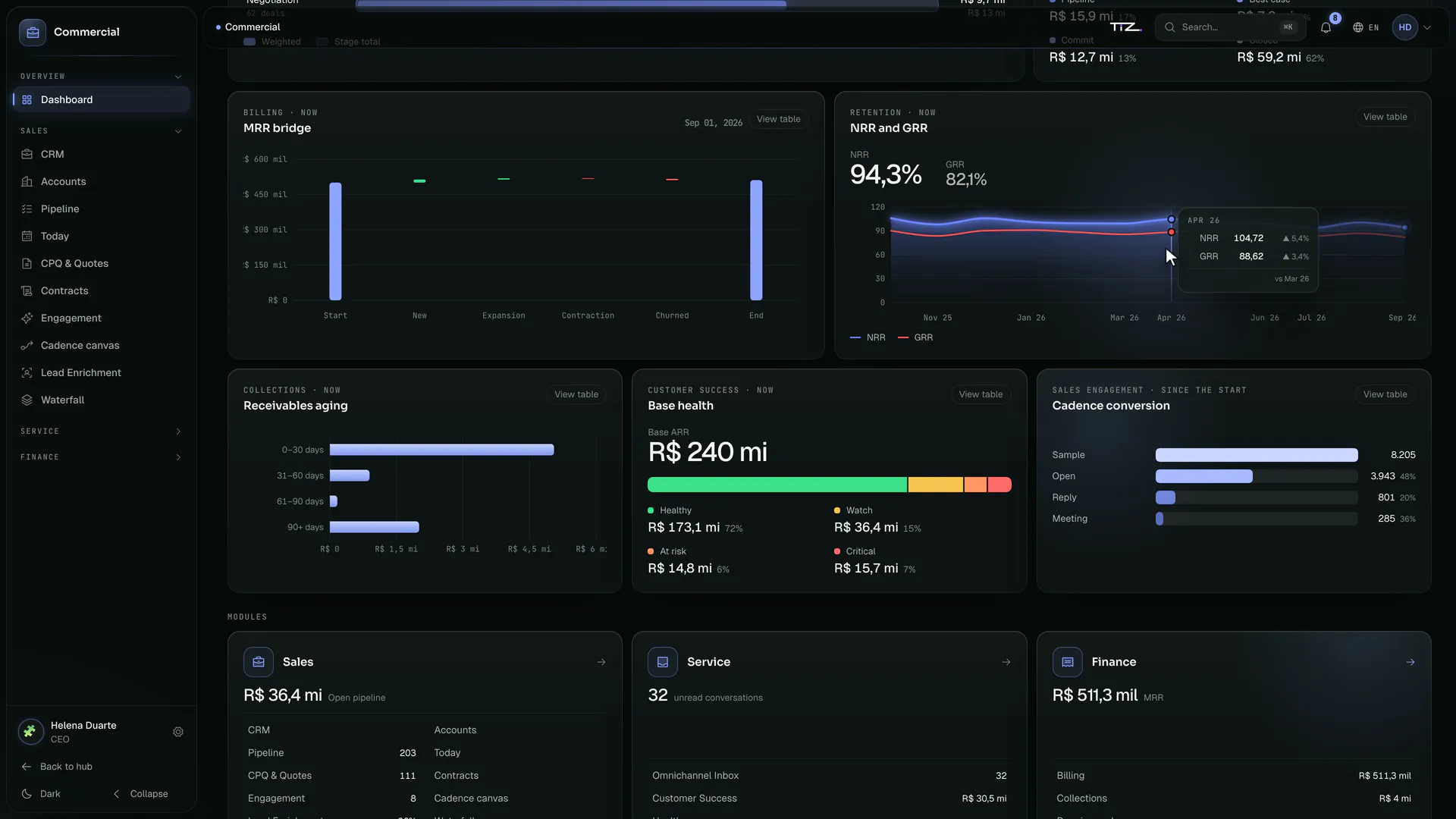
NRR and GRR, month by month, under the cursor.Grupo Vértice · fictional company · illustrative data
MarketingMidday
At midday, the campaign.
Marketing shows what turned into revenue.
Attributed revenue, reachable profiles, delivery, CTR, spend and ROAS. Just below, the e-mail journey, from send to conversion.
Attributed revenueThe revenue that attribution credits to campaigns, with the period’s curve beside it.
Email journeySent, delivered, opened, clicked and converted, with each stage’s drop-off in view. It counts from the start, and the screen says so.
Active channelsHow many campaigns use each channel: e-mail, WhatsApp, SMS and push.

Grupo Vértice’s Marketing dashboard.Grupo Vértice · fictional company · illustrative data Paid media and attribution on one screen.
Revenue against spend, day by day, and each channel’s credit under attribution: what Marketing spends and what comes back.
Outside the flowComplaints and unsubscribes stay out of the funnel, counted apart: no one drops out of the count.
Revenue versus spendRevenue from conversions against media spend, over the chosen period. The figures come from the company’s ad accounts, connected at implementation.
Credit by channelHow much each channel is credited for the conversion, under the attribution model the company picks: from last touch to Shapley.
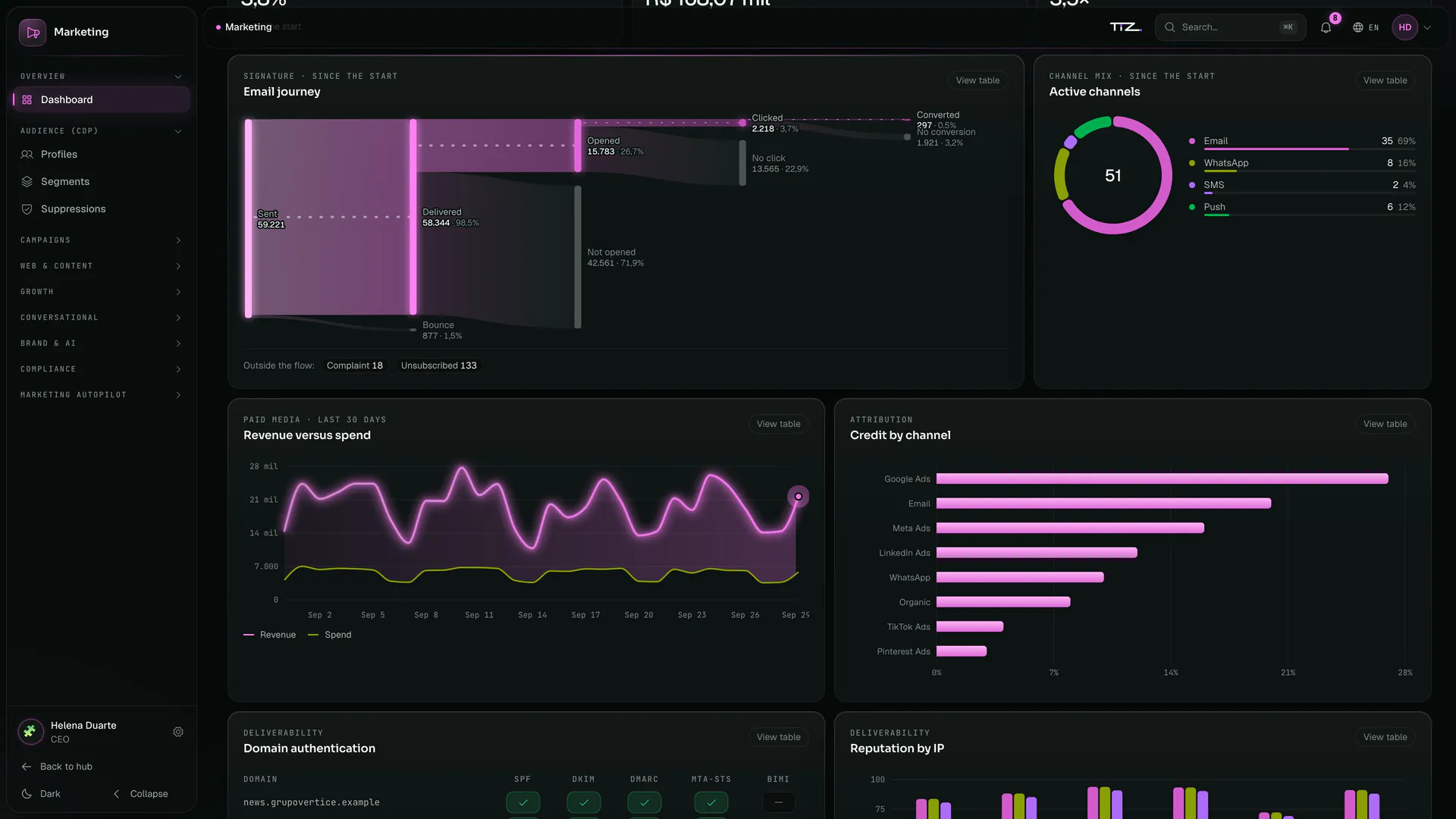
Paid media and attribution on the Marketing dashboard.Grupo Vértice · fictional company · illustrative data Revenue and spend, day by day.
The cursor stops on each day and shows revenue, spend and the change against the day before.
One day at a timeRevenue, spend and the change in each against the day before, where the cursor stops.
SpendSpend on the same scale as revenue: the gap between the two lines is the day’s return.
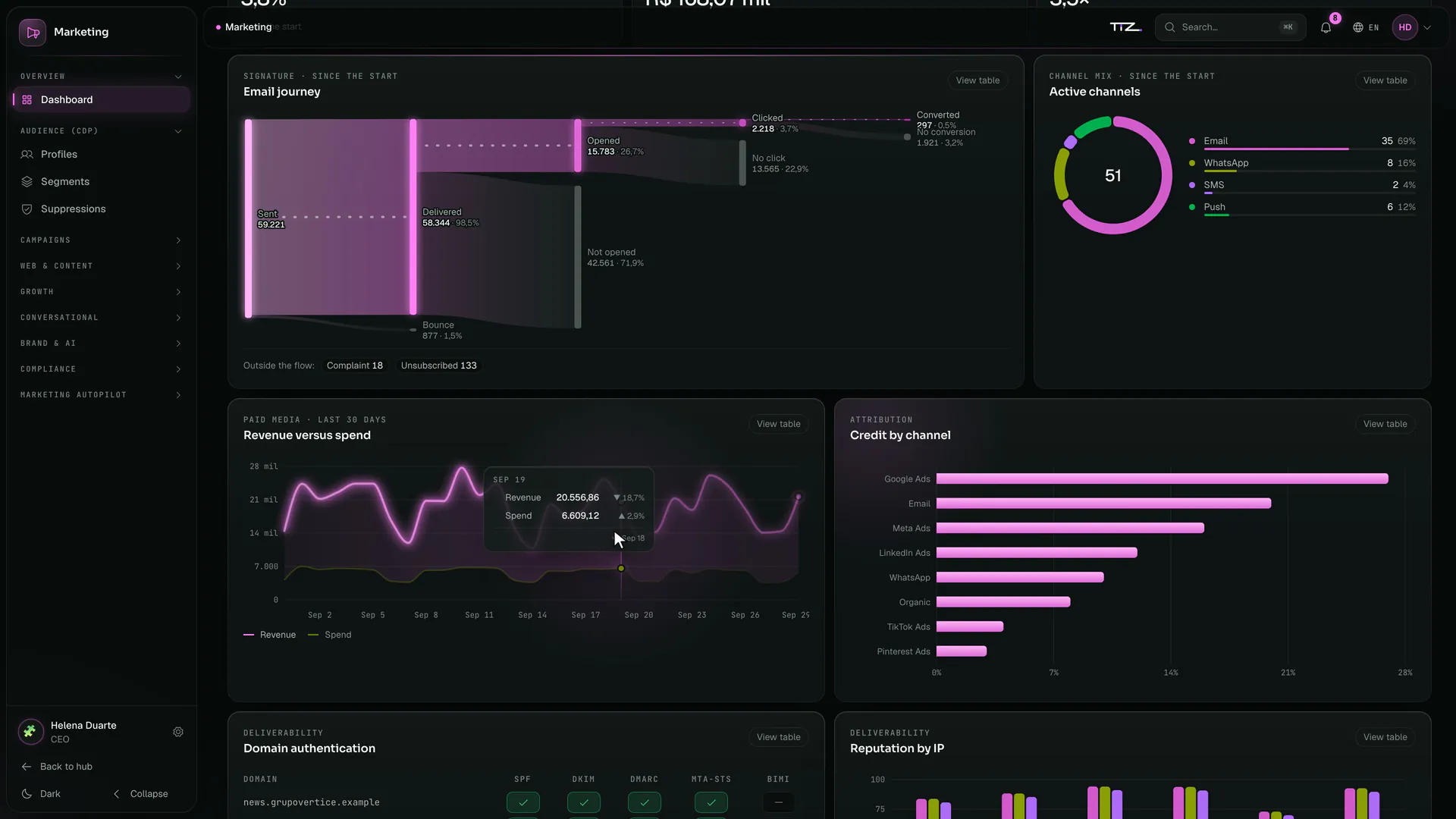
Revenue and spend, day by day, under the cursor.Grupo Vértice · fictional company · illustrative data
PeopleAfternoon
In the afternoon, the people.
The whole workforce on one screen.
Headcount, hires, terminations, turnover and payroll cost. Below, headcount movement and team engagement.
HeadcountHow many people the company has right now, with the period’s curve.
Payroll costThe monthly cost of payroll, employer charges included.
eNPSTeam engagement. With fewer than 10 responses, the number doesn’t show: no one can be identified.

Grupo Vértice’s People dashboard.Grupo Vértice · fictional company · illustrative data Who joins, who leaves, what needs attention.
Headcount movement, cost per employee and the alerts: the whistleblowing channel and the mandatory trainings about to expire.
Headcount movementHires above the line, exits below and the net between them.
Retaliation alertsSignals from the whistleblowing channel that need attention. The reporter’s identity never appears here.
Trainings expiringSafety, harassment and data protection: the mandatory trainings to renew show up before they expire.
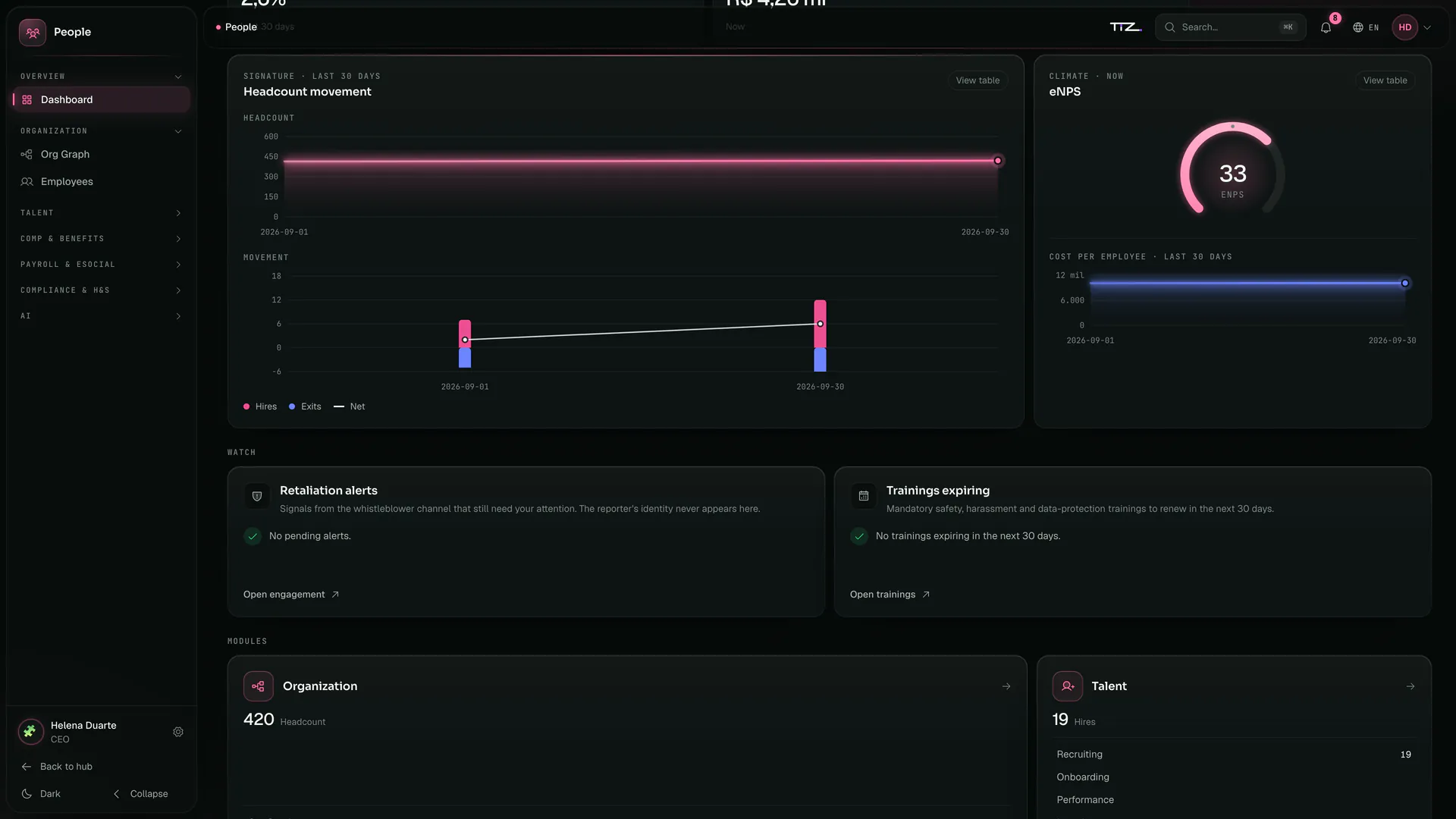
Movement and alerts on the People dashboard.Grupo Vértice · fictional company · illustrative data Each month of headcount, under the cursor.
The cursor stops on a month and shows hires, exits and the net. Engagement and cost per employee sit alongside.
Month by monthHires, exits and net for the month where the cursor stops, with the values written out, not color alone.
Cost per employeeWhat each person costs over the period, taken from the same payroll as the dashboard.
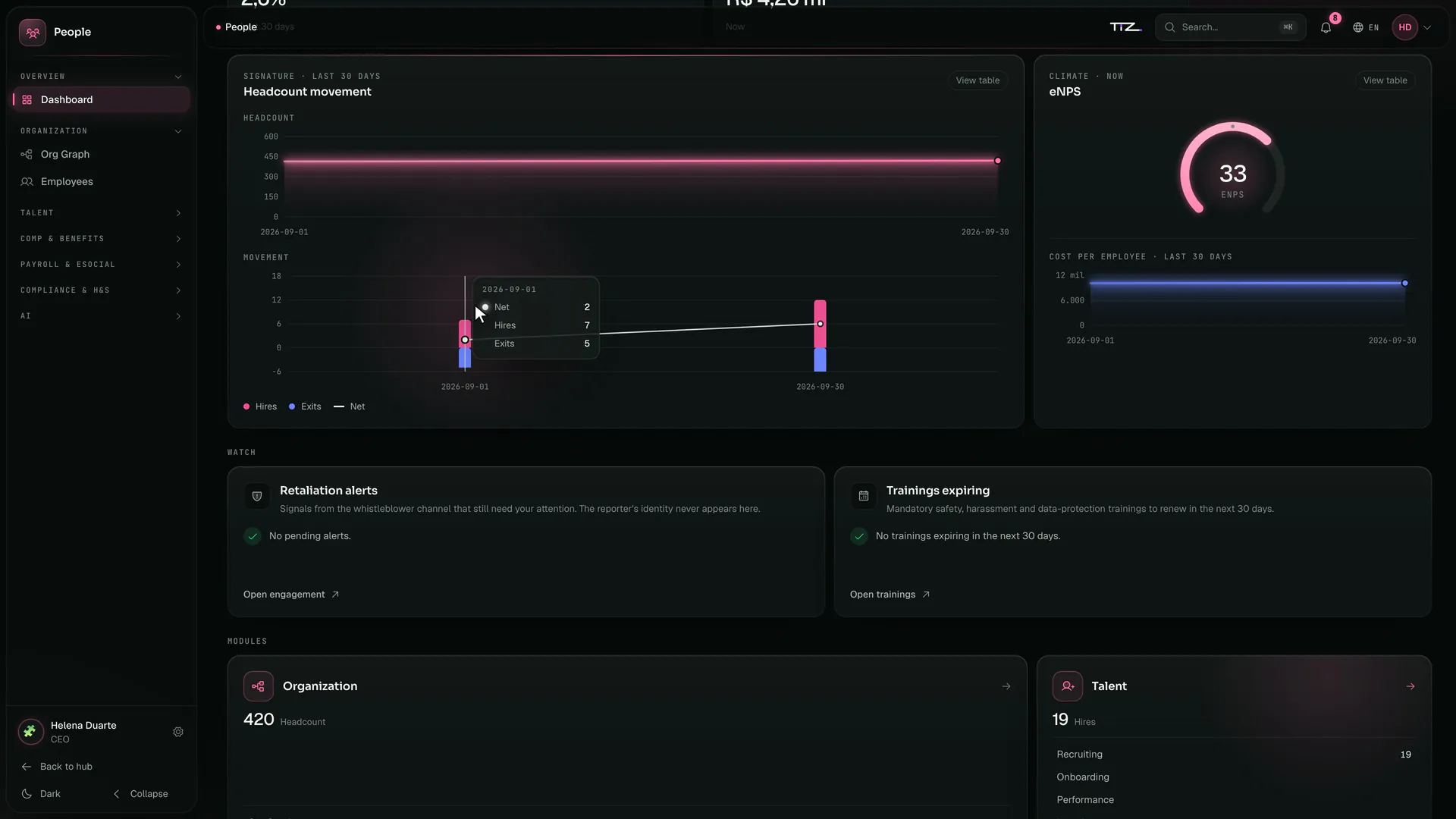
Headcount movement, month by month, under the cursor.Grupo Vértice · fictional company · illustrative data
TreasuryEnd of day
At the end of the day, the cash.
The day closes on cash.
The balance right now, the projected closing, forecast inflows and outflows and the bank accounts, on a single screen.
CashThe sum of the balances of the active bank accounts. Statements come in by OFX or CNAB, Brazil’s bank file standard; the direct bank connection is switched on at implementation.
Projected closingWhere cash should close at the end of the forecast, given the forecast inflows and outflows.
Cash bridgeFrom today’s cash to the closing, with the forecast net in between.

Grupo Vértice’s Treasury dashboard.Grupo Vértice · fictional company · illustrative data The coming months, before they arrive.
The curve projects cash month by month; the bars separate what should come in from what should go out.
Cash curveDashed because it is a forecast: each month’s projected cash, with the minimum and maximum in the chart’s table.
Inflow and outflowInflows above the line, outflows below, in each month of the forecast.
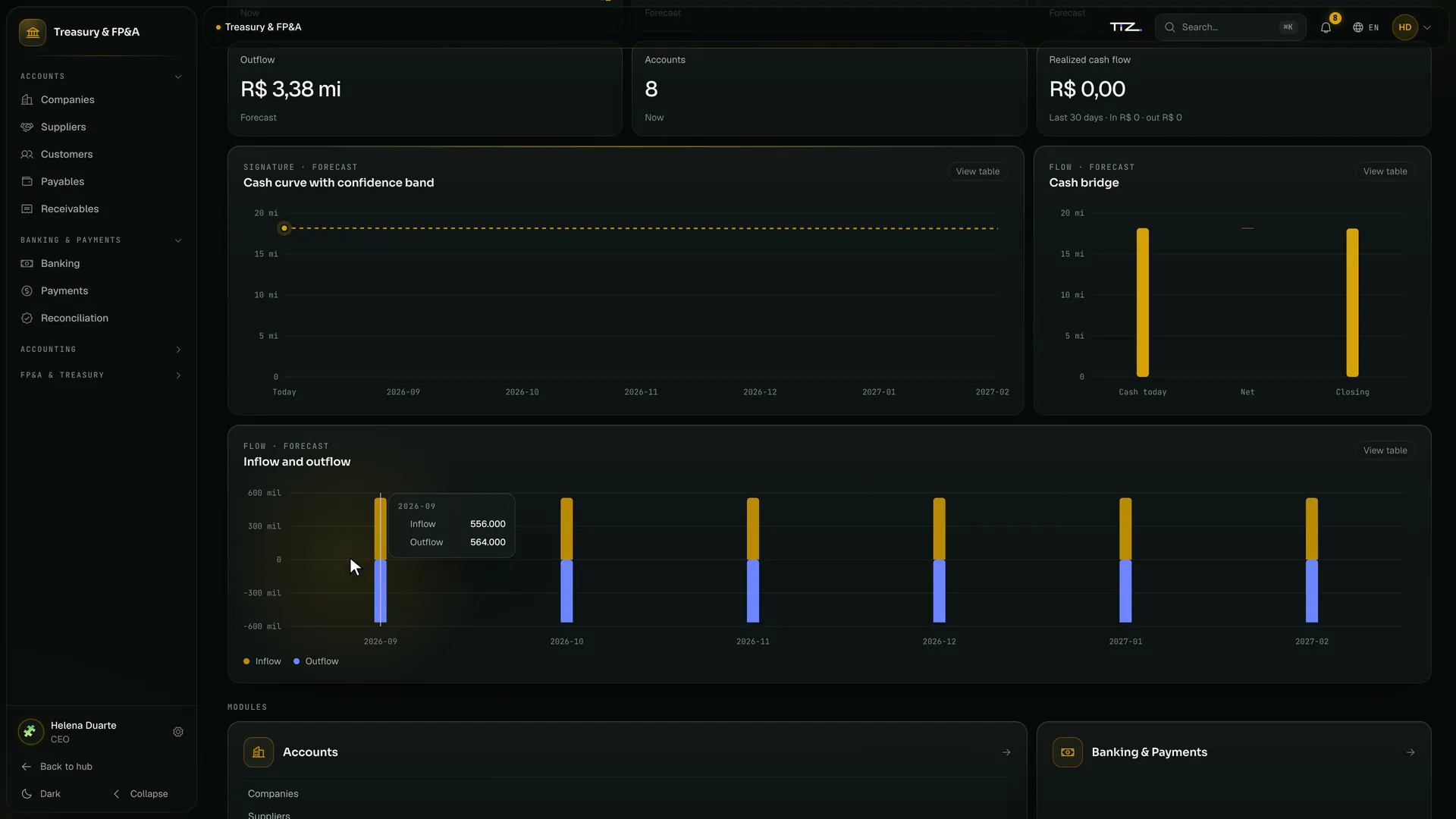
The cash forecast on the Treasury dashboard.Grupo Vértice · fictional company · illustrative data Inflows and outflows, period by period.
The cursor moves across each month and shows how much comes in and how much goes out. Below, Treasury’s modules, one click away.
Month by monthHow much comes in and how much goes out in each month of the forecast, where the cursor stops.
Banking & PaymentsJust below, the modules: companies, suppliers, customers, payables and receivables, banking, payments and reconciliation.
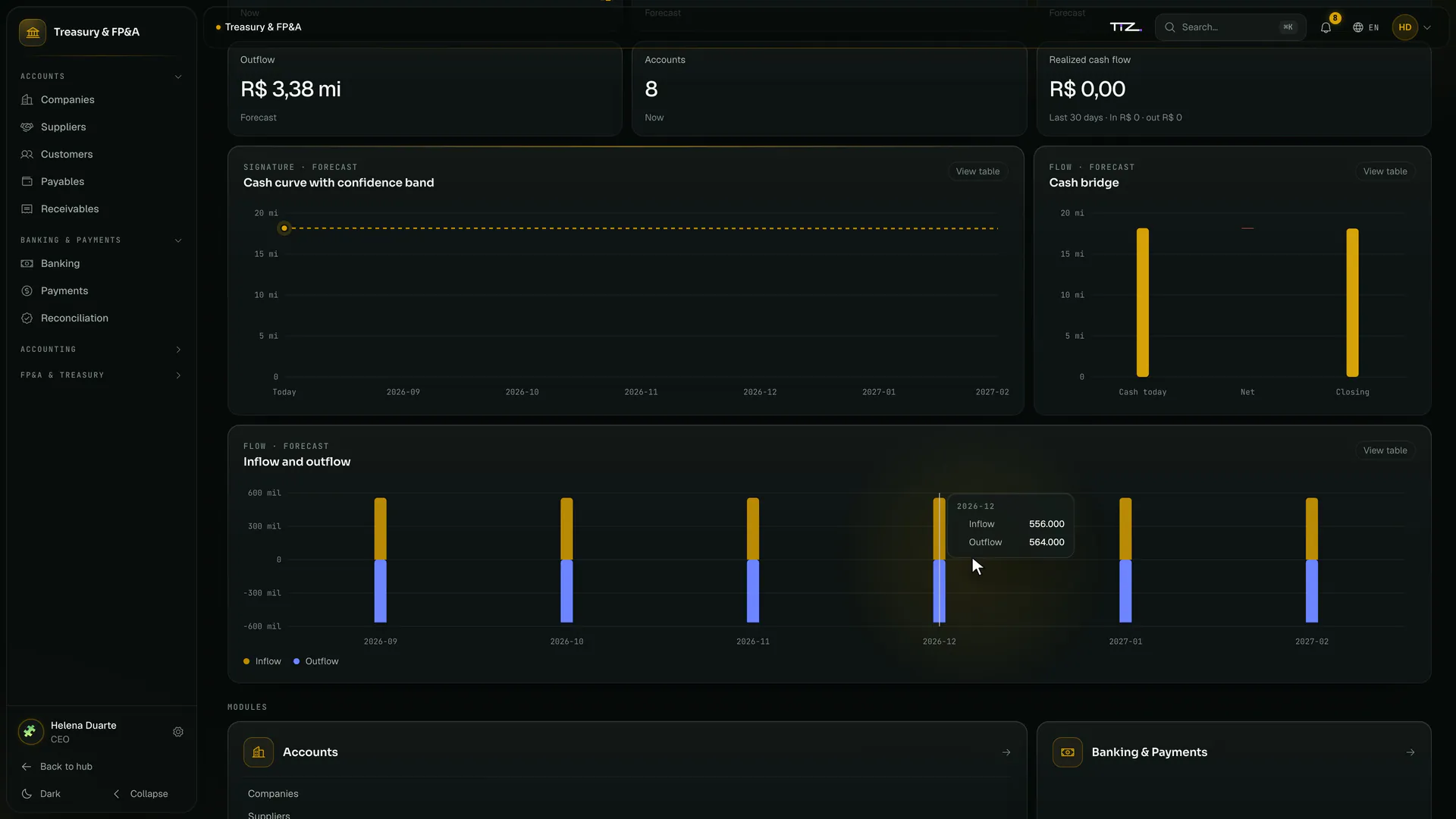
Inflows and outflows, month by month, under the cursor.Grupo Vértice · fictional company · illustrative data
The company is fictional. The system is not.
See Nexus Lume with your company’s products and data.